JoinMyQuiz.com – Simple Guide to Join a Quiz Using Code (Beginner Friendly)
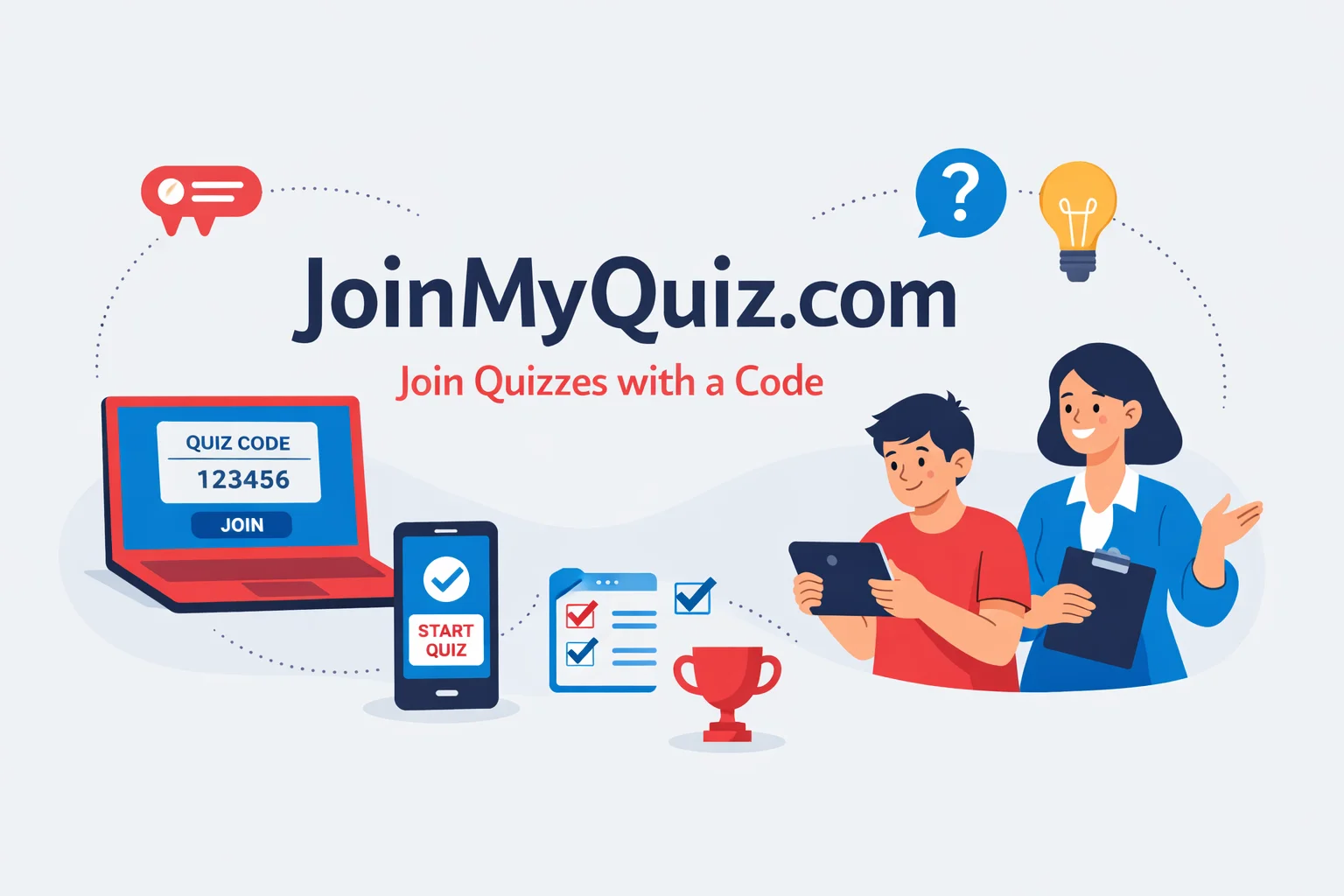
If your teacher asks you to visit join my quiz.com and enter a quiz code, you might feel confused at first. However, it is actually very simple once you understand the process.
You only need three basic things:
- A quiz code (also called a game PIN or join code)
- Your name
- A working internet connection
Think of it like entering a house. The website is the house, the quiz code is the key, and your name is your identity. Once you use the correct key, you can easily enter and take part in the quiz.
This guide will explain everything step by step in very simple language so that even a complete beginner can understand it without any confusion.
What is JoinMyQuiz.com?
JoinMyQuiz.com is an online quiz platform where students can join quizzes using a code shared by a teacher, trainer, or quiz host. It allows users to take part in live quiz sessions without creating an account in most cases.
In simple words, it is like giving a class test online using your mobile phone or computer. Instead of writing answers on paper, you select answers on the screen.
This platform is part of modern digital learning where teachers use technology to make lessons more engaging and interactive. Students enjoy quizzes because they feel like games, not boring tests.
Where is JoinMyQuiz.com Used?
JoinMyQuiz.com is commonly used in different learning environments. For example:
- Schools where teachers want to take quick tests
Online classes where students join from home
- Training sessions for employees or learners
- Coaching centers and academies
Because of its simple design, it helps both teachers and students save time. Instead of checking papers manually, results are shown instantly.
It also makes learning more interactive because students can see their scores and compete with others in a friendly way.
How to Join a Quiz on JoinMyQuiz.com
To join a quiz on join my quiz.com, follow these simple steps:
1. Open the website in your browser
2. Enter the quiz code (game PIN)
3. Type your name
4. Click “Join” and start the quiz
This is the shortest and fastest explanation. However, if you are new, you should read the detailed steps below.
Step-by-Step Guide
Step 1 – Open the Website
First, open your internet browser such as Google Chrome, Microsoft Edge, or any other browser you use.
In the address bar, type join my quiz.com and press Enter.
After that, you will see a simple page asking you to enter a quiz code. This is the main page where all users start.
Step 2 – Enter Quiz Code (Game PIN)
Next, you need to enter the quiz code given by your teacher or quiz host.
For example, the code may look like this: 123456
This code is very important because it connects you to a specific quiz. Without this code, you cannot join the quiz.
You may also hear different names for this code, such as:
- Join code
- Game PIN
- Access code
- Quiz code
All these terms mean the same thing.
Step 3 – Enter Your Name
After entering the code, the next step is to type your name.
This step is important because:
- Your teacher can identify you
- Your score will be saved under your name
- Your name may appear on the leaderboard
It is always better to use your real name so there is no confusion later.
Also, avoid using special symbols or complicated names because sometimes the system may not accept them.
Step 4 – Click Join and Start Quiz
Finally, click the Join button.
Once you click it, the quiz will start. You will begin to see questions on your screen one by one.
Each question will have multiple answer options, and you need to select the correct one. In many cases, there will also be a timer, so you need to answer quickly.
This creates a fun and interactive quiz experience where learning feels like a game.
You May Also Read It : SEO by highsoftware99.com
Can You Use JoinMyQuiz.com on Mobile or Computer?
Yes, JoinMyQuiz.com works on all devices. You can use:
- Mobile phones
- Tablets
- Desktop computers
- Laptops
You do not need to install any app. You only need a browser and internet connection.
Using Mobile Phone
Open your browser, go to join my quiz.com, enter the quiz code, type your name, and start the quiz. It is very quick and easy.
Using Computer or Laptop
Follow the same steps. The advantage of using a computer is that the screen is bigger, which makes it easier to read questions and options.
Common Problems and Simple Solutions
Sometimes you may face small issues while trying to join a quiz. These problems are common, and you can fix them easily.
Problem: Quiz code not working
Reason: The code may be wrong or expired
Solution: Check the code again or ask your teacher to send it again
Problem: Website not opening
Reason: Slow or no internet connection
Solution: Refresh the page or reconnect your internet
Problem: Cannot join quiz
Reason: The quiz may not have started yet
Solution: Wait for your teacher to start the quiz
Problem: Name not accepted
Reason: You may be using special characters
Solution: Use a simple name without symbols
Problem: Page stuck or not responding
Reason: Temporary browser issue
Solution: Refresh the page or reopen the browser
These small problems can happen to anyone, so there is no need to worry.
You May Also Read It : Axelanote
What Happens After You Join?
After you successfully join the quiz, you will see the quiz interface on your screen.
This includes:
- Questions
- Answer options
- Timer (in many cases)
You will need to read each question carefully and choose the correct answer.
How Scoring Works
The scoring system is usually simple:
- Correct answers give you points
- Faster answers may give you more points
- Wrong answers may give zero points
At the end of the quiz, you may see a leaderboard. This leaderboard shows your rank compared to other students.
This feature makes quizzes more exciting because students enjoy competing in a healthy way.
For Students and Teachers
For Students
Students use JoinMyQuiz.com to join quizzes using a code. They answer questions, see their scores, and learn in an interactive way.
For Teachers
Teachers use the platform to create quizzes, share codes with students, and track their performance. They can quickly see which students understand the topic and which need more help.
This makes it a powerful digital classroom tool that improves both teaching and learning.
Best Alternatives to JoinMyQuiz.com
There are other similar platforms that offer online quizzes. Some popular ones include:
JoinMyQuiz.com – Simple and easy quiz joining
Quizizz – Interactive quizzes with fun features
Kahoot – Live quiz games with competition
Google Forms – Basic quizzes and tests
Each platform has its own features, but all of them help in online learning and assessment.
Is JoinMyQuiz.com Free and Safe?
Yes, JoinMyQuiz.com is free for students in most cases. You can join quizzes without paying any money.
It is also generally safe because:
- It does not require sensitive personal information
- You usually do not need to create an account
- Only your name is required to join
However, it is always good to follow basic internet safety rules and only join quizzes shared by trusted teachers or sources.
Simple Tips for Better Quiz Performance
If you want to perform better in quizzes, follow these simple tips:
- Always enter the correct quiz code
- Use a stable and fast internet connection
- Read each question carefully before answering
- Do not rush unless there is a timer
- Avoid refreshing the page during the quiz
- Stay focused and avoid distractions
These small habits can make a big difference in your performance.
Advantages of Using JoinMyQuiz.com
JoinMyQuiz.com offers many benefits for both students and teachers.
- Easy to use for beginners
- No need to install any software
- Quick quiz joining process
- Instant results and scoring
- Makes learning fun and interactive
Because of these advantages, many schools and teachers prefer using online quiz platforms.
Limitations You Should Know
Although the platform is useful, there are a few limitations:
- Requires internet connection
- Quiz code must be correct
- Limited features compared to advanced tools
- May not work well on very slow internet
Understanding these limitations helps you avoid confusion and prepare better.
Conclusion
JoinMyQuiz.com is a simple and beginner-friendly platform for online quizzes. Once you understand how the quiz code works and follow the steps correctly, joining a quiz becomes very easy.
Now you clearly know how to join a quiz, how the system works, and how to solve common problems. With this knowledge, you can confidently take part in any online quiz without confusion.
This type of platform is becoming more popular in modern education because it saves time, improves learning, and makes the process enjoyable. As a beginner, learning how to use tools like JoinMyQuiz.com is a great step toward understanding digital learning systems.
Frequently Asked Questions
1 – What is join my quiz.com?
It is a website where students can join an online quiz using a code provided by a teacher or host.
2 – How do I join a quiz?
Open the website, enter the quiz code, type your name, and click join to start.
3 – What is a quiz code or game PIN?
It is a unique number that allows you to access and join a specific quiz session.
4 – Why is my quiz code not working?
The code may be incorrect, expired, or the quiz has not started yet.
5 – Can I join without login?
Yes, most quizzes allow you to join without creating an account.
6 – Can I use it on mobile?
Yes, it works on mobile phones, tablets, and computers using a browser.
7 – What happens after joining a quiz?
You answer questions, earn points, and may see your rank on a leaderboard.
8 – Is JoinMyQuiz.com free?
Yes, it is free for students in most cases.